Topic
Type
Year
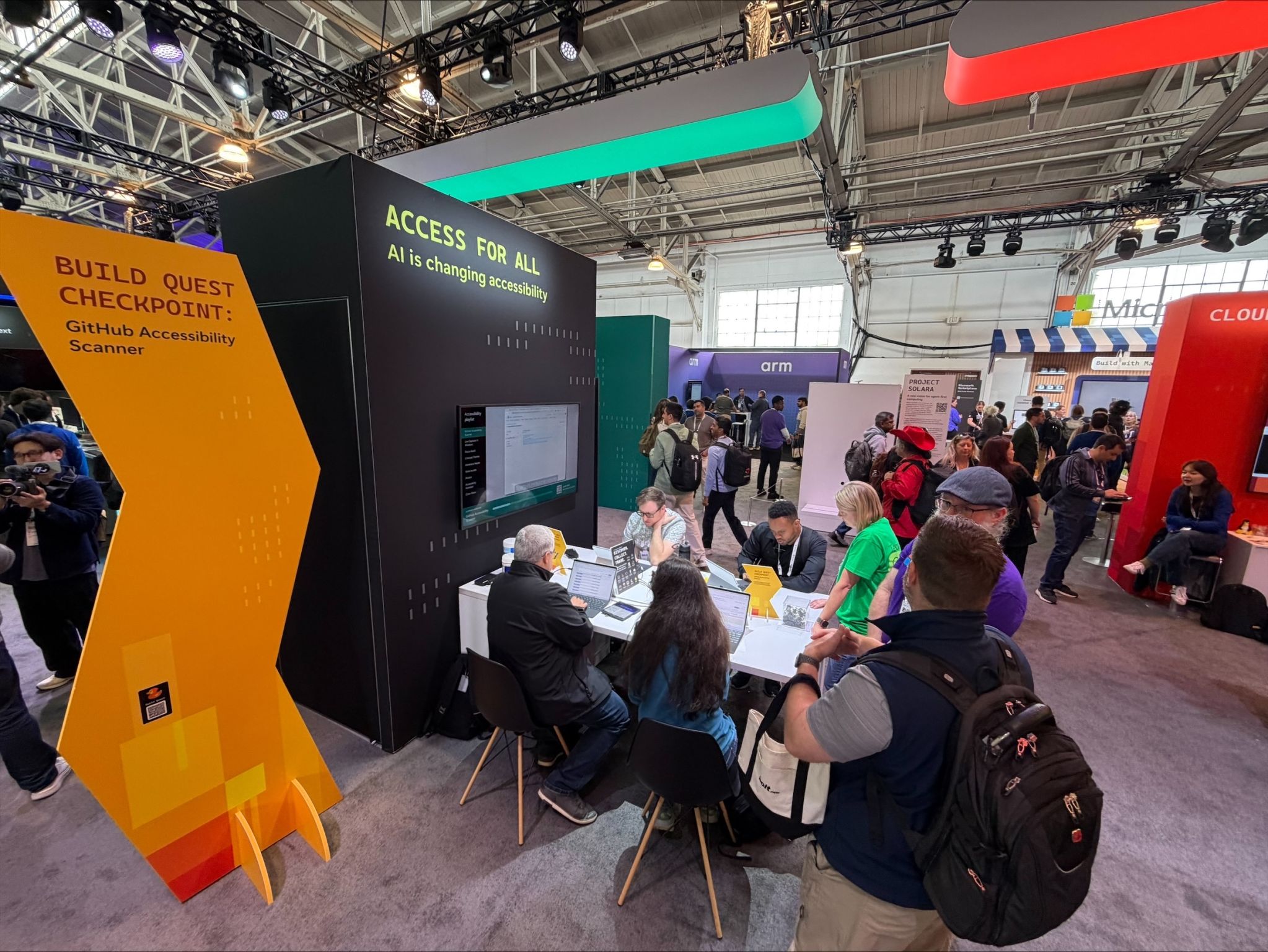
Microsoft AI Tour, Ignite, and Build events
A short, booth-ready scanner simulation that follows three personas through accessibility barriers and engineering next steps.
Microsoft Build
More than 1,000 people visited the Microsoft Accessibility booth, with 700+ diving into demos and conversations around accessibility and AI.
GitHub
Continuous AI for accessibility — an agentic GitHub Actions and Copilot workflow that triages, classifies, and routes accessibility feedback using the GitHub Models API.
Google web.dev
Google’s web.dev course covers accessibility foundations, WCAG, ARIA, and inclusion practices, giving developers a baseline for daily work.
W3C / edX
W3C's introductory web accessibility course, where I serve as a course trainer for the development section.
Deque Systems
Helped create the code patterns for Deque's ARIA pattern library and establish it as an educational resource for accessible, tested components.
Open source project
Living accessibility style guide with reusable components, WCAG guidance, and links to tools, talks, and articles supporting front-end teams.
CodePen
CodePen collection of accessible color, contrast, and motion examples that respect people’s system and in-page preferences.
CodePen
CodePen collection of five accessible CSS pattern evaluations covering color, links, images, animation, and typography.
Personal project
Accessible AI chat with Wookiee sounds, animations, and themed worlds, plus light/dark modes and controls for motion and audio preferences.
Personal project
Database searcher for 90FM Trivia that helps teams find past questions quickly, with light/dark themes and playful fish interactions on hover.
Personal project
Interactive AI prompt generator for A11yTalks with event support, accessible controls, animation, sound, and light/dark modes for live sessions.
CodePen
CodePen snippet exploring grouped content and ARIA labeling patterns for assistive technology announcements and structural clarity.
CodePen
CodePen collection of JavaScript accessibility examples covering interactive behavior, semantic state, and inclusive front-end patterns.
CodePen
CodePen collection of CSS accessibility examples for inclusive styling, visual states, layout systems, and user-preference support.
CodePen
CodePen snippet demonstrating typography labeling and readable font variant choices in accessibility-focused interface content.
CodePen
CodePen snippet evaluating accessible text-over-image techniques to maintain readability, contrast, and comprehension.
CodePen
CodePen snippet demonstrating an accessible alert dialog implementation with injected HTML and CSS behavior (example 2).
CodePen
CodePen snippet demonstrating an accessible alert dialog implementation with injected HTML and CSS behavior (example 1).
CodePen
CodePen snippet demonstrating accessible JavaScript interactions and semantic updates in a practical title-focused example.
CodePen
CodePen snippet demonstrating accessible accordion disclosure behavior with keyboard support and semantic structure.
CodePen
CodePen snippet for evaluating paragraph styling accessibility and identifying which text treatment supports inclusive reading.
CodePen
CodePen snippet for evaluating animation accessibility and identifying motion choices that better support users.
CodePen
CodePen snippet for evaluating CSS image treatments and whether images become hidden from assistive technologies.
CodePen
CodePen snippet for evaluating accessible color choices and contrast-aware combinations in CSS.
CodePen
CodePen snippet for evaluating accessible link styling and distinguishing features beyond color alone.
CodePen
CodePen pattern demonstrating user-choice color accessibility with prefers-color-scheme, forced-colors, and inverted-colors media queries.
CodePen
CodePen pattern demonstrating user-choice contrast with prefers-contrast and prefers-reduced-transparency queries for inclusive visual options.
CodePen
CodePen pattern demonstrating user-choice motion with prefers-reduced-motion and prefers-reduced-data queries to support comfort and performance.
CodePen
CodePen snippet demonstrating reduced-motion-friendly border animation behavior for inclusive visual feedback.
CodePen
CodePen collection supporting Google Learn Accessibility form lessons with examples for labels, validation, fieldsets, and accessible inputs.
CodePen
CodePen collection supporting Google Learn Accessibility testing lessons with examples for semantics, keyboard behavior, and assistive tech.
CodePen
CodePen snippet demonstrating accessible field descriptions and supplementary guidance for form inputs.
CodePen
CodePen snippet demonstrating accessible form error handling and clear error association patterns.
CodePen
CodePen snippet demonstrating accessible grouping of related form fields with semantic labeling.
CodePen
CodePen example showing accessibility fixes applied to an inaccessible landing page as part of Google Learn Accessibility testing workflows.
CodePen
CodePen example of an inaccessible landing page after manual accessibility fixes were applied.
CodePen
CodePen example of an inaccessible landing page after automated fixes were applied for comparison and validation.
CodePen
CodePen example of an inaccessible landing page used as a baseline for testing and remediation workflows.
CodePen
CodePen snippet demonstrating accessible toggle state handling with aria-pressed.
CodePen
CodePen snippet demonstrating disclosure state handling with aria-expanded.
CodePen
CodePen snippet demonstrating dynamic announcements with aria-live regions.
CodePen
CodePen snippet demonstrating accessible trigger-event behavior implemented in React.
CodePen
CodePen collection supporting Google Learn Accessibility JavaScript lessons with examples for accessible interactivity and dynamic UI state.
CodePen
CodePen snippet demonstrating accessible focus styling patterns.
CodePen
CodePen snippet demonstrating accessible skip-link structure for keyboard navigation.
CodePen
CodePen snippet demonstrating focus-order structure and keyboard flow.
CodePen
CodePen collection supporting Google Learn Accessibility structure lessons with examples for landmarks, headings, semantics, and page layout.
CodePen
CodePen snippet demonstrating an accessible JavaScript motion toggle control.
CodePen
CodePen collection supporting Google Learn Accessibility animation lessons with examples for reduced motion and inclusive animated experiences.
CodePen
CodePen snippet demonstrating a motion-default experience adjusted with prefers-reduced-motion.
CodePen
CodePen snippet demonstrating a reduced-motion-first pattern with optional motion enhancements.
CodePen
CodePen snippet demonstrating motion accessibility with multiple user-preference media queries.
CodePen
CodePen snippet demonstrating color accessibility adaptations across multiple user-preference media queries.
CodePen
CodePen snippet demonstrating accessible color adaptations using prefers-contrast.
CodePen
CodePen snippet demonstrating accessible color adaptations using prefers-color-scheme.
CodePen
CodePen snippet demonstrating evaluating color choices in context instead of isolated swatches.
CodePen
CodePen collection of accessible front-end pattern examples showing inclusive HTML, CSS, JavaScript, and ARIA techniques in practical scenarios.
CodePen
CodePen collection supporting Google Learn Accessibility color lessons with examples for contrast, color independence, and visual design choices.
CodePen
CodePen snippet exploring hue choices and how color hue impacts accessible interface readability.
CodePen
CodePen snippet demonstrating lightness considerations for accessible color combinations.
CodePen
CodePen snippet demonstrating saturation considerations for accessible color usage.
CodePen
CodePen snippet demonstrating typography structure patterns that improve readability and comprehension.
CodePen
CodePen snippet demonstrating accessible typography spacing techniques for clearer reading flow.
CodePen
CodePen snippet demonstrating accessible text alignment choices for improved readability.
CodePen
CodePen snippet demonstrating accessible letterform characteristics that support legibility.
CodePen
CodePen snippet showing informative SVG images with title-based labeling for assistive technologies.
CodePen
CodePen snippet demonstrating figure and figcaption usage for accessible complex image context.
CodePen
CodePen collection supporting Google Learn Accessibility typography lessons with examples for text spacing, font choices, and type scale.
CodePen
CodePen snippet demonstrating typeface decisions that support accessible reading experiences.
CodePen
CodePen snippet demonstrating color contrast ratio checks for accessible visual design.
CodePen
CodePen snippet demonstrating complex image descriptions using ARIA describedby associations.
CodePen
CodePen snippet demonstrating long description techniques for accessible complex images.
CodePen
CodePen collection supporting Google Learn Accessibility image lessons with examples for alternative text, decorative images, and SVG handling.
CodePen
CodePen snippet demonstrating accessible informative image handling with meaningful alternative text.
CodePen
CodePen snippet demonstrating decorative image patterns and how to keep non-informative visuals out of the accessibility tree.
CodePen
CodePen snippet demonstrating functional image links and controls with appropriate alternative text.
CodePen
CodePen snippet demonstrating visually hidden techniques for accessible informative image context.
CodePen
CodePen snippet demonstrating visually hidden text support for functional images.
CodePen
CodePen snippet demonstrating functional images using title and alt attributes for accessible context.
CodePen
CodePen snippet demonstrating decorative images implemented as CSS backgrounds to reduce accessibility noise.
CodePen
CodePen snippet demonstrating decorative image handling with ARIA hidden to avoid redundant announcements.
CodePen
CodePen snippet demonstrating decorative image handling with ARIA role none.
CodePen
CodePen snippet demonstrating decorative image handling with ARIA role presentation.
CodePen
CodePen snippet demonstrating empty alt usage for decorative images.
CodePen
CodePen collection of intentionally inaccessible examples used to compare barriers with more inclusive front-end patterns and practical fixes.
CodePen
CodePen snippet showing the first step in the Happy V-day accessible SVG progression.
CodePen
CodePen snippet showing the second step in the Happy V-day accessible SVG progression.
CodePen
CodePen snippet showing the third step in the Happy V-day accessible SVG progression.
CodePen
CodePen snippet showing the fourth step in the Happy V-day accessible SVG progression.
CodePen
CodePen snippet showing the fifth step in the Happy V-day accessible SVG progression.
CodePen
CodePen snippet demonstrating an accessible modal pattern built with React and keyboard-friendly interaction behavior.
CodePen
CodePen snippet demonstrating an inaccessible React modal pattern for comparison and remediation testing.
CodePen
CodePen snippet showing step 5 of the I ❤️ NY accessible SVG progression.
CodePen
CodePen snippet showing step 4 of the I ❤️ NY accessible SVG progression.
CodePen
CodePen snippet showing step 3 of the I ❤️ NY accessible SVG progression.
CodePen
CodePen snippet showing step 2 of the I ❤️ NY accessible SVG progression.
CodePen
CodePen snippet showing step 1 of the I ❤️ NY accessible SVG progression.
CodePen
CodePen snippet demonstrating an inaccessible simple form pattern for testing and remediation comparison.
CodePen
CodePen snippet demonstrating an accessible simple form pattern with clear labels and usable input structure.
CodePen
CodePen snippet demonstrating an inaccessible modal pattern for accessibility testing and remediation comparison.
CodePen
CodePen snippet demonstrating an accessible modal pattern with expected focus and keyboard behavior.
CodePen
CodePen snippet demonstrating an inaccessible accordion pattern for testing and remediation comparison.
CodePen
CodePen snippet demonstrating an accessible accordion pattern with semantic controls and keyboard support.
CodePen
CodePen snippet demonstrating an inaccessible navigation pattern for testing and comparison with remediated approaches.
CodePen
CodePen snippet demonstrating an accessible table pattern with semantics that support assistive technology users.
CodePen
CodePen snippet demonstrating an inaccessible table pattern used for testing and remediation comparisons.
CodePen
CodePen snippet for comparing button implementation patterns and evaluating which is most accessible.
CodePen
CodePen snippet for comparing contextual link patterns and evaluating which approach is most accessible.
CodePen
CodePen snippet for comparing SVG image patterns and evaluating the most accessible implementation.
CodePen
CodePen collection of answer examples for accessible pattern exercises, showing corrected markup and behavior for inclusive components.
CodePen
CodePen collection of exercise prompts for practicing accessible pattern analysis, hands-on testing, and thoughtful markup remediation.
CodePen
CodePen snippet demonstrating an accessible navigation pattern that changes link colors while preserving usability.
CodePen
CodePen compares twelve SVG patterns across platforms, browsers, and screen readers to reveal which approaches deliver strong accessibility.
CodePen
CodePen compares accessible button patterns – native buttons, ARIA role overrides, and link-as-button variants – to evaluate reliable markup choices.
CodePen
CodePen explores accessible link patterns – standard anchors, button-styled links, and skip links – to identify dependable markup for assistive tech.
CodePen
CodePen compares accessible SVG approaches – inline SVG, img, CSS background, and object – to reveal techniques that deliver consistent support.
CodePen
CodePen demonstrating accessible SVG theming with prefers-color-scheme so light and dark mode variations remain readable and inclusive.
CodePen
CodePen demonstrating accessible SVG motion handling with prefers-reduced-motion and calmer alternatives for people who limit animation.
CodePen
CodePen combines prefers-color-scheme and prefers-reduced-motion so animated SVG artwork adapts across light, dark, and reduced-motion settings.
CodePen
CodePen snippet preserving the older SVG pattern comparison version for browser and screen reader behavior reference.
CodePen
CodePen collection of accessible SVG examples covering alternative text, ARIA labeling, theming, and motion preferences for vector graphics.
CodePen
CodePen demo of an accessible bee SVG that supplies its alternative text entirely through a single inline title element in the markup.
CodePen
CodePen demo of an accessible bee SVG that pairs an aria-labelledby attribute with an inline title element to expose an accessible name.
CodePen
CodePen demo of an accessible bee SVG that uses both title and desc elements to provide a short name and a longer text description.
CodePen
CodePen demo of an accessible bee SVG that combines aria-labelledby with title and desc elements for a fully described inline graphic.
CodePen
CodePen demo of an accessible bee SVG referenced through an img element and paired with clear, descriptive alternative text for it.
CodePen
CodePen comparing accessible radio group patterns built with native HTML and ARIA so the behavior can be tested across assistive technologies.
CodePen
CodePen snippet demonstrating an accessible floating vote block interaction pattern.